Getting your parts by email
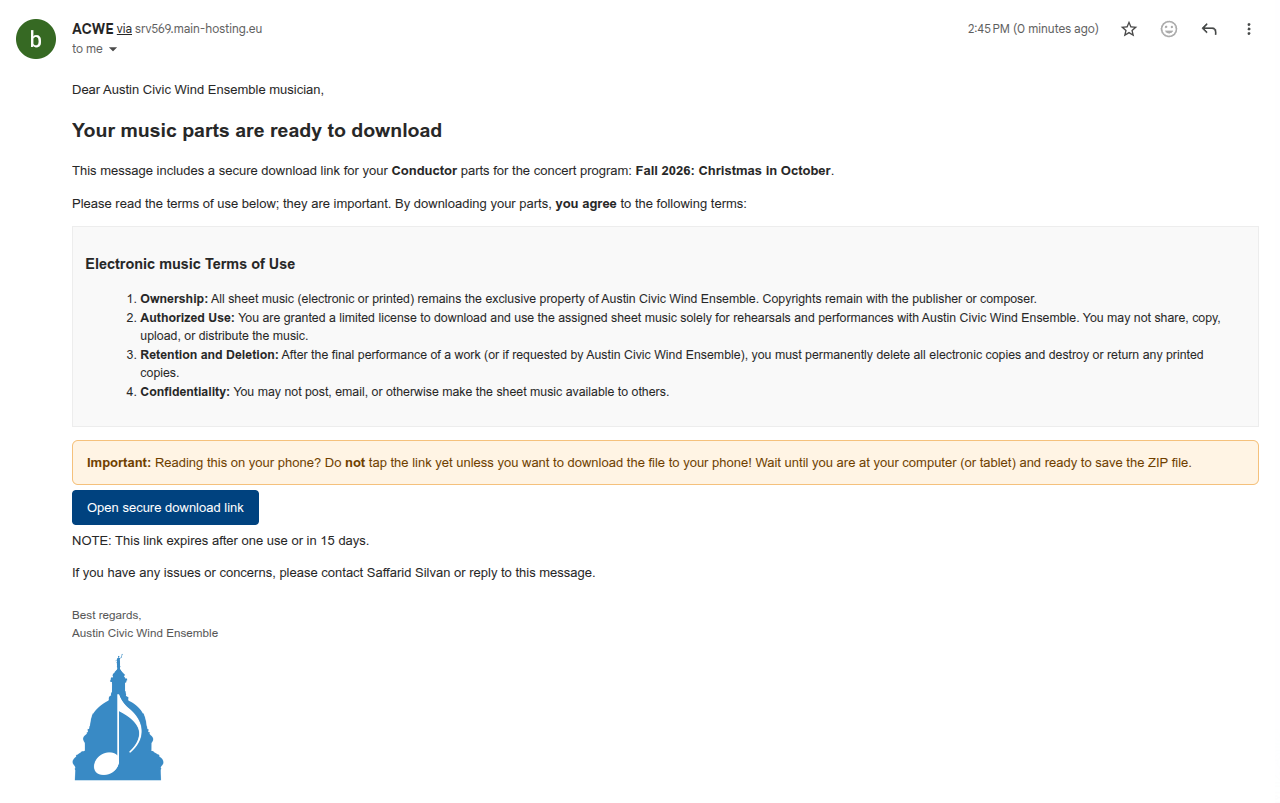
Before each concert cycle, ACWE emails you a secure link to download your music parts. The message looks similar to the screenshot here:
How it works
- Watch your inbox for an email from ACWE with the subject "Your music parts are ready to download." It will include which concert program and part (e.g., Conductor, Flute 1) the parts are for.
- Click "Open secure download link" in the email when you're ready to download.
- You'll land on a Confirm download page showing the file name (a ZIP file). Click Download to save it to your device, or Not now if you're not ready yet and want to come back later.
Heads up: If you're checking email on your phone, don't tap the download link unless you actually want the file saved to your phone. Wait until you're at a computer or tablet if that's where you'd rather keep your parts.
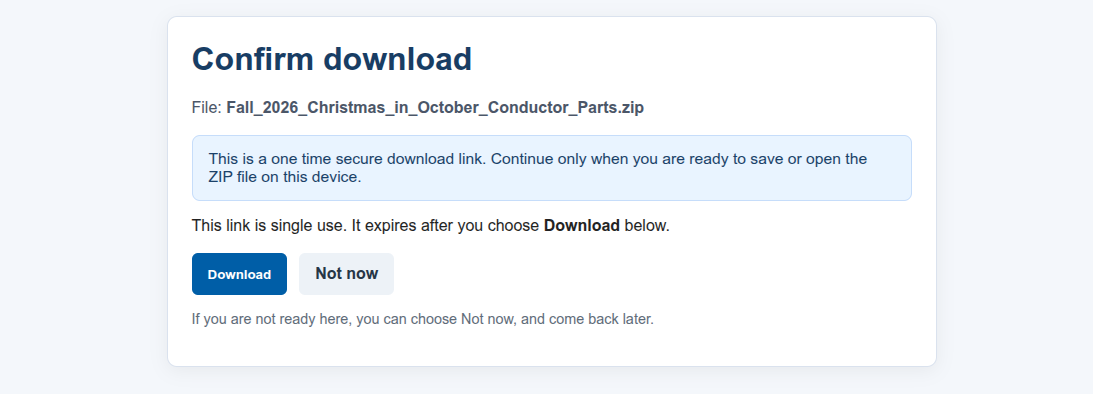
Important: this link is single-use
The download link only works once, and it expires after 15 days, whichever comes first. Once you've downloaded your parts, save them somewhere safe (like a folder on your computer or a printed copy), since you won't be able to use the same link again.
If you need the link resent, reply to the email or reach out using the form below.
A note on Terms of Use
By downloading your parts, you agree to a few simple rules:
- All sheet music remains the property of ACWE (copyrights belong to the publisher/composer)
- Parts are for your personal use in ACWE rehearsals and performances only — please don't share, copy, upload, or distribute them
- After the piece's final performance (or if ACWE requests it), please delete your electronic copies and destroy or return any printed ones
- Don't post or share the music with anyone outside the ensemble
Questions or missing parts?
If you didn't receive your parts, can't find the email, or run into any trouble with the download, please reach out using the form below:
Browse the full library
Curious what else is in our music library? Feel free to browse library.acwe.org anytime.